Local SEO for a small business comes down to four things: a complete and active Google Business Profile, identical name, address, and phone details everywhere your business is listed, a steady flow of recent reviews, and pages on your site built for the services and cities you cover. This guide is that work, laid out as a checklist you run top to bottom.
The demand behind those searches is measurable. In our own keyword dataset, pulled from DataForSEO in August 2026, the "local seo" cluster alone covers 24 keywords with 11,490 combined monthly searches in the US, and "google business profile optimization" adds another 6,600 searches a month. The levers move at very different speeds, too. In Sterling Sky's controlled tests, a primary category change showed ranking movement in about 48 hours, while nine straight weeks of weekly GBP posts, measured across 441 tracked keywords, moved nothing.
This guide is written for owners and in-house marketers, not agencies. Everything in it comes from the local SEO work we run for our own clients: the same category research, the same review cadence, the same measurement setup, in the same order we apply it.
Key Takeaway
For small businesses, local SEO is mostly four things: a fully optimized Google Business Profile, consistent name, address, and phone info across the major directories, a steady flow of recent Google reviews, and a few well-written local pages on your site. Get those four right, in that order, and you will outrank most competitors in your area within a few months, even without a big budget or a technical SEO background.
What Is Local SEO?
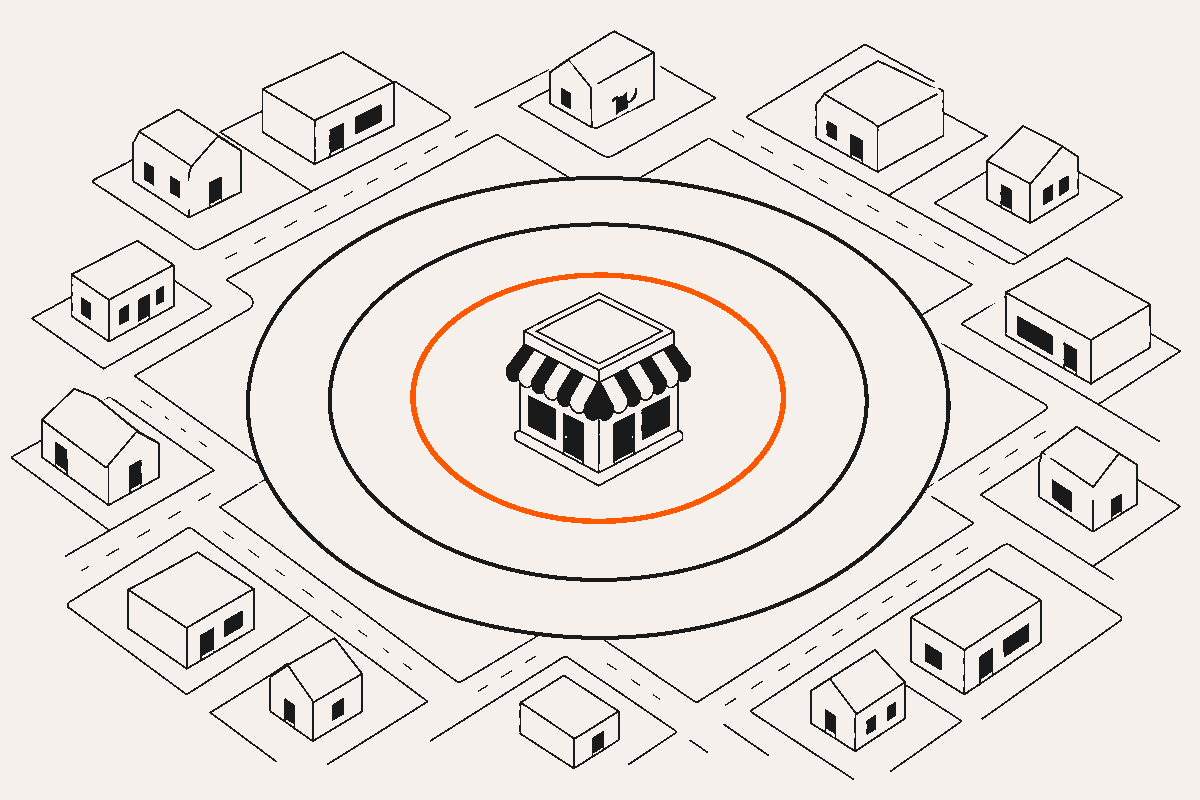
Local SEO is the work of getting a business to rank in searches with local intent: the map pack, "near me" queries on phones, and city searches like "plumber in austin." Its ranking signals are different from general SEO. Google Business Profile completeness, review recency, citation consistency, and proximity to the searcher decide who shows up.
It overlaps with general SEO, but the two reward different things. General SEO rewards content depth, backlinks, and site authority. Local SEO rewards profile completeness, review velocity, citation consistency, and physical proximity. A site can have thin content and still dominate the map pack if its local signals are strong, and a site with great content can be invisible in local search if the owner never claimed their GBP.
The other thing that sets local SEO apart is how visual the results are. The map pack takes up a large share of the screen on mobile and usually appears above the traditional organic results. A searcher can read the rating, scan a few recent review snippets, see photos, and tap to call all without ever visiting a website. That changes what optimization means. Ranking is the floor. The real goal is being the profile that convinces someone to call instead of scrolling past.
Why Does Local SEO Matter for Small Businesses?
Local SEO is the one channel where a five-person shop can consistently beat a national chain, because the map pack weights proximity, categories, and review activity over budget. The searches are high intent, the competition pool is limited to your own area, and the work keeps paying off after you stop, instead of ending the moment spend does.
The way people search is also shifting toward conversational, assistant-style queries. Google Maps now runs AI features that recommend businesses based on review content and profile depth rather than just keywords in the business name. Businesses with detailed profiles and thoughtful reviews get recommended by those systems, and thin listings get skipped entirely. The same profile work that wins the map pack is what feeds the AI answers.
There is also a revenue math problem specific to small businesses. Paid search gets more expensive every year, and most small shops cannot outbid franchises and national chains on Google Ads. In the map pack, ad spend does not decide the order. The investment in local SEO is measured in hours and small monthly costs rather than five-figure ad budgets, which is exactly why it favors the small operator willing to do the work.
The Local SEO Checklist
Local SEO is not one big task. It is ten smaller ones that add up, and the order matters. Here is the whole program in one table. Work it top to bottom, then keep the last few steps running on a monthly cycle. The sections below explain how to do each one and how long it takes to show results.
| Step | What to Do |
|---|---|
| Claim and verify your GBP | Search google.com/business, claim the existing listing or create one, and finish verification by postcard, phone, or video. Nothing shows publicly until this is done. |
| Set your categories | Pick the most specific primary category you qualify for, then add legitimate secondary categories. Check the full category lists of the top three in the map pack first. |
| Complete every field | Services with short descriptions, accurate hours including holidays, service area, a plain-language business description, and 25 or more real photos. |
| Lock one NAP format | Pick one exact name, address, and phone format and use it everywhere, down to "Suite" versus "Ste." |
| Build core citations | Bing Places, Apple Business Connect, Facebook, Yelp, Nextdoor, and your main industry directory. Audit and fix existing listings before adding new ones. |
| Systemize review asks | A short review link, an ask at the moment the job closes, a named person responsible, and a reply to every review. |
| Build local pages | One page per core service and one per city you serve, each with genuinely unique content and your NAP in the footer. |
| Fix speed and mobile | Test with PageSpeed Insights, compress images, make phone numbers tappable, and keep contact details above the fold. |
| Earn local links | Sponsorships, the chamber of commerce, local news mentions, and supplier or partner pages. |
| Track monthly | GBP Performance, UTM-tagged website clicks in GA4, Search Console queries, and a geogrid scan of your map pack rankings. |
How Do You Optimize Your Google Business Profile?
Claim and verify the profile, pick the most specific primary category, add every service you actually offer, load real photos, and keep the business name identical to your signage. Categories and services are the fast levers: in Sterling Sky's controlled tests, both showed ranking movement within 24 to 72 hours of a change.
The Google Business Profile is the listing that shows up in the map pack, in the knowledge panel on desktop, and in Google Maps itself. Every local ranking conversation starts here, because if your GBP is unclaimed, incomplete, or inaccurate, nothing else on this checklist will matter much. We wrote a field-by-field walkthrough in How to Optimize Your Google Business Profile; the essentials follow.
Claim and Verify First
Search for your business at google.com/business. If a listing already exists, claim it. If it does not, create one. Then complete verification, which Google handles by postcard, phone, or video depending on your business type. Until verification is finished, your profile does not show publicly, no matter how good your website is. One policy warning up front: keyword stuffing the business name works until it does not, and it will eventually get the listing suspended. Keep the name identical to your signage, invoices, and website.
Pull Category Research From Live Maps Results
Primary category is the highest-leverage field on the whole profile. Choosing "Mexican Restaurant" instead of "Restaurant" puts you in a much more specific result set where the competition is lower. When we set categories for a client, we do not guess. We pull the full category lists of the top three businesses in the map pack for the money keyword. The public listing only shows the primary category, but free Chrome extensions like GMBspy and GMB Everywhere expose the whole list. Then we copy only the categories the business legitimately qualifies for. A category you cannot honestly claim is a suspension risk, not an opportunity, and adding "Wedding Venue" to a coffee shop because you occasionally host events dilutes the profile.
Services and Photos
Services are the second most underused field. Each service you add is a set of signals Google uses to match your profile to specific searches. A roofer should have "Roof Replacement," "Roof Repair," "Gutter Installation," and "Storm Damage Inspection" as separate services rather than a single generic "Roofing Services" entry. Write a short description for each one and include the phrase a customer would actually type. For the trades specifically, the address decision, the category research, and which city pages to build are covered in our home services SEO guide.
Photos influence both ranking and click-through. Profiles with recent photos get more calls and direction requests than profiles with a single stock image. Add real photos of completed work, the team, the storefront, and the equipment, and upload new ones every month or two so the profile keeps showing fresh activity.
Posts and Q&A Are for Humans, Not Rankings
Weekly posting is standard advice, and it is worth doing, but be clear about what it buys you. In the longest controlled test we know of, Sterling Sky published one post per week for nine weeks across three listings and tracked 441 keywords: no measurable ranking movement. We still post for the profiles we manage, at most once a week and skipped when there is nothing real to say, because posts appear directly in the listing and help the customer comparing two businesses. Treat Q&A the same way: seed the questions customers actually ask and answer them, so the right information is already there when the next person looks.
Tag the Website Field So You Can See GBP Working
Here is a step from our own client setups that almost nobody does: add UTM parameters to the website link in your profile (utm_source=gbp, utm_medium=organic). Mobile clicks from a Google Business Profile arrive with the referrer stripped, so untagged GBP traffic lands in the "direct" bucket in GA4 and the profile looks like it produces nothing. Tag the link once and every profile click becomes visible in your analytics from then on.
What Are Citations and Why Does NAP Consistency Matter?
A citation is any listing of your business name, address, and phone number on another site. Google cross-checks citations to confirm the business is real and located where it claims. Matching details build that confidence and mismatches erode it, so one exact NAP format everywhere beats being listed on hundreds of low-quality directories.
NAP stands for Name, Address, and Phone number. If your GBP says "Austin Roofing Co." at "123 Main St, Suite 200" with phone "(512) 555-0100" but your Yelp page says "Austin Roofing Company" at "123 Main Street #200" with a different number, Google's confidence in your data drops and your rankings suffer with it. Pick one exact version of your NAP and use it everywhere, down to the abbreviations. The small mismatches matter more than they look, because Google reads them as separate facts that do not line up.
Which Directories to Prioritize
The big ones carry most of the weight. Claim and verify your business on Google Business Profile, Bing Places, Apple Business Connect, Facebook, Yelp, Nextdoor, and the BBB if you are accredited. After those, add industry-specific directories: Avvo for law firms, Healthgrades for medical, Houzz for contractors, TripAdvisor for hospitality. A few accurate, relevant listings beat 100 spammy low-quality citations every time.
In our own citation work, the audit always comes before the build. Tools like BrightLocal, Whitespark, and Moz Local can scan the major directories for inconsistencies. Fix what is wrong before you add anything new, because new citations stacked on top of inconsistent data compound the confusion Google already has about your business.
How Do You Get More Google Reviews?
Ask at the moment of highest satisfaction, make the ask a named step in your workflow, and use Google's short review link everywhere. Recency and steady velocity beat raw count: a business with 47 reviews from the last six months will often outrank one with 300 reviews from three years ago. Reply to every review, positive and negative.
The moment of highest satisfaction looks different in every business. A roofer should ask when the job is complete and the customer has walked the roof with them. A dentist should ask right after a pain-free cleaning. A restaurant should ask when the bill is paid and the customer is smiling. Waiting a week to send an email gets a much lower response rate than a direct ask in person.
Build a Review Request Into the Workflow
The businesses that accumulate reviews consistently have a specific person and step responsible for asking. The technician hands the customer a card with a QR code to the review link. The front desk sends a text within two hours of checkout. The project manager sends a follow-up email the same day the project closes. If the ask depends on someone remembering, it will not happen.
Google provides a short review link you can find in your GBP dashboard. Use that link everywhere: in text follow-ups, on printed cards, in email signatures, and on thank-you pages. Do not offer discounts or incentives for reviews. Google prohibits it, and review platforms are good at detecting and filtering paid or incentivized reviews.
Respond to Every Review
Respond to every review, positive and negative, within a few days. Thank customers by name for positive reviews and reference something specific they mentioned. For negative reviews, stay calm, acknowledge the issue, and offer to resolve it offline. Other potential customers read your responses to judge how you handle problems, so a defensive or dismissive response on a public review can cost you future business even when the original complaint was unfair.
In our GBP engagements, reviews are the one item that never leaves the monthly cadence. Almost everything else on the checklist can be set up once and maintained. Review velocity has to be earned continuously, and its ranking effect builds month over month rather than overnight, which is exactly why the businesses with a system beat the businesses with good intentions.
What Does On-Site Local SEO Look Like?
Your website backs up your profile. Google cross-references the two to verify the business is real, and site pages are what rank in the regular organic results below the map pack. The work is a page per core service, a page per city with genuinely unique content, LocalBusiness schema, fast mobile pages, and your NAP in the footer.
Location Pages
If you serve more than one city, create a dedicated page for each one. A single "Areas We Serve" page with a list of cities does not rank nearly as well as individual pages with real, unique content for each location. A good location page includes the city name in the title and H1, a description of the service in that area, specific landmarks or neighborhoods you cover, testimonials from customers in that city, and the address or service area details repeated in the footer. This is the same pattern we use on our own site: our Austin SEO page is one service in one market, which is exactly the shape a location page should take.
Do not duplicate content across location pages. Writing "We serve [city]" with the city name swapped in is a pattern Google recognizes as low-quality and will not reward. Each page should have at least 300 to 500 words of genuine, specific content. If you only have one location, you do not need a bunch of location pages. Focus on your main service pages and make sure they mention your primary service area.
Schema Markup
Add LocalBusiness or ProfessionalService schema to your site. This is structured data in your page's HTML that tells Google exactly what your business is, where it is located, what hours it keeps, and how to contact it. Most modern website builders and SEO plugins can generate this automatically. If you are on a custom build, a developer can add it in an afternoon. It is not a huge ranking factor on its own, but it makes your listing eligible for richer search results and helps AI tools understand your business.
Site Speed and Mobile Usability
Most local searches happen on phones. A slow, hard-to-use mobile site is a ranking problem and a conversion problem. Run your site through Google's PageSpeed Insights and fix what it flags; our guide on how to speed up your website covers the common fixes. Make phone numbers tappable. Put the contact form and phone number above the fold on every page. Do not hide the address behind a "Contact Us" click if you want local customers to know you are near them.
Local Links and Mentions
Links from other local websites tell Google you are an established part of the community. Sponsor a local team or event, join the chamber of commerce, get mentioned in local news, partner with nearby complementary businesses, and ask suppliers to list you on their sites. A few relevant local links beat a pile of generic ones. Aim for places a real person in your area would actually visit.
How Do You Measure Local SEO Results?
Four free sources cover it: GBP Performance for calls, direction requests, and discovery searches, GA4 for the UTM-tagged clicks from your profile, Search Console for local organic queries, and a monthly geogrid scan for map pack position across your service area. Expect first movement inside 60 days and compounding gains over six months.
Google Business Profile Performance
GBP Performance shows how many people viewed your profile, how they found it (direct searches for your name versus discovery searches for your category), how many called you, asked for directions, or visited your website. Watch discovery searches specifically. That number is the one that grows when your local SEO starts working, because it means more people are finding you who did not already know about you.
Google Search Console and GA4
Connect your website to Google Search Console. It shows the queries your site is ranking for, how many impressions and clicks each query gets, and where each page ranks on average. Filter by queries that include your city or "near me" to see how your local organic rankings are trending. Pair it with Google Analytics 4 to track which pages convert visitors into leads, and because you tagged the GBP website field earlier in this checklist, GA4 can now show profile clicks as organic traffic instead of hiding them under direct.
Map Pack Tracking
Map pack rankings vary by the searcher's physical location, so checking "am I in the map pack" from your own phone is unreliable. Tools like Local Falcon or BrightLocal grid-check your rankings across a map of your service area, showing you exactly which blocks you rank in and which you do not. Even one grid scan per month tells you whether your visibility is expanding or contracting.
Change One Thing at a Time
One habit from our own engagements makes all of this measurement useful: change one thing at a time and record the date. Categories and services resolve within 24 to 72 hours, so a real serial test fits inside a month: baseline grid scan, one change, wait, rescan. Batching a pile of profile edits destroys your ability to tell what worked, and on newly verified profiles it is also a documented suspension trigger, so the discipline pays twice.
Realistic Timelines
Expect early GBP movement in the first 30 to 60 days as Google re-indexes your updated profile. Citation cleanup typically takes 60 to 90 days to settle. Review-driven gains compound over six months or more. If someone promises front-page map pack results in two weeks, they are either lying or relying on a trick that will get your profile suspended. Sustainable local SEO takes three to six months to show clear results and keeps paying off for years after that.
Should You Do Local SEO Yourself or Hire Help?
Most owners can run this checklist themselves in two to four hours a week. The challenge is consistency, not capability. Hire help when your market is competitive, when six months of DIY has not moved the map pack, or when your time is worth more spent on the business itself than on the marketing of it.
Claiming the GBP, filling out every field, asking customers for reviews, and writing a few location pages are within reach for anyone willing to learn. The businesses that win in local search are the ones that keep doing the work month after month, even when it feels like nothing is happening. That is what the checklist above is for: run it once to set the foundation, then keep the review, posting, and tracking steps on a monthly cycle.
Paying for local SEO services makes sense in a few specific situations. You are in a competitive market where the top three results are all paying for ongoing SEO work. You have tried DIY for six months and have not seen the map pack movement you expected. You would rather spend your time on the business itself and can afford $300 to $1,500 per month to have someone handle GBP posts, review monitoring, citation audits, and local content. Or you want an audit and strategy up front, then plan to take the ongoing work in-house.
If you hire an agency, ask for specifics. What reporting will you get. Which directories will be cleaned up. How many GBP posts per month. Who responds to reviews. What does the first 90 days look like. Any agency that cannot answer those questions with a written plan is not worth hiring. BBD's monthly SEO service covers local and broader SEO work, and our GBP management service is a lighter option for businesses that want their profile handled without a full retainer.
Frequently Asked Questions
How long does local SEO take to work?
Most small businesses start seeing map pack movement within 60 to 90 days of consistent work on their Google Business Profile, reviews, and local pages. Early wins tend to come from GBP fixes (categories, services, photos, NAP). Bigger shifts in ranking and lead volume usually take 4 to 6 months because review velocity and citation cleanup compound slowly. If a competitor has a long head start on reviews, catching them takes longer than starting from scratch in a less competitive area.
Do I need a physical address for local SEO?
No. Service-area businesses that travel to customers (plumbers, cleaners, mobile mechanics, landscapers) can rank in local search without publishing a street address. You set up your Google Business Profile as a service-area business and list the cities, counties, or zip codes you serve. You do need a real address on file with Google for verification, but it can be hidden from the public profile.
Do I need a website, or is a Google Business Profile enough?
A Google Business Profile alone can get you into Maps, but a website helps you rank in regular search, gives Google more to trust, and gives customers a place to learn about you and get in touch. The two work together. The profile gets you found and the site helps you convert.
What's the difference between local SEO and regular SEO?
Regular SEO focuses on ranking a website for keywords across any geography. Local SEO focuses on ranking for searches with local intent, like "plumber near me" or "dentist in Austin." Local SEO has its own set of ranking signals: Google Business Profile data, proximity to the searcher, citations across directories, and local reviews. Most small businesses should prioritize local SEO first because it targets the people most likely to actually become customers.
Can I do local SEO myself or should I hire an agency?
You can do the core work yourself if you have a few hours a week and are willing to learn. Claiming and optimizing your Google Business Profile, fixing NAP consistency on the major directories, asking customers for reviews, and writing a few local pages are all within reach for a motivated owner. Agencies help when you want the work done faster, want ongoing review monitoring and posting, or want someone accountable for ranking outcomes. Most owners should start DIY and hire help once they know what they want.
What does local SEO cost for a small business?
DIY local SEO costs time, not money. The tools most small businesses need (Google Business Profile, Google Search Console, a basic citation check) are free. Agency pricing ranges widely: one-time GBP setup and citation cleanup typically runs $400 to $800, and ongoing local SEO retainers range from $300 to $1,500 per month depending on market size and scope. More competitive markets and industries with high customer lifetime value justify higher spend.
Our Approach
At Blank Box Digital Marketing, we work with small businesses across Austin and the broader Sunbelt on local search visibility. Every engagement starts with an audit of your Google Business Profile, your citation footprint, your review health, and your site's local signals. From there we build a prioritized plan focused on the fixes that will move rankings fastest in your specific market.
If your map pack rankings are flat, your GBP is incomplete, or you have never looked at your review velocity, . We will review what you have, show you the gaps, and put together a plan that either works as a full retainer or gives you a roadmap to run yourself.